Chat Unity
Chat Unity
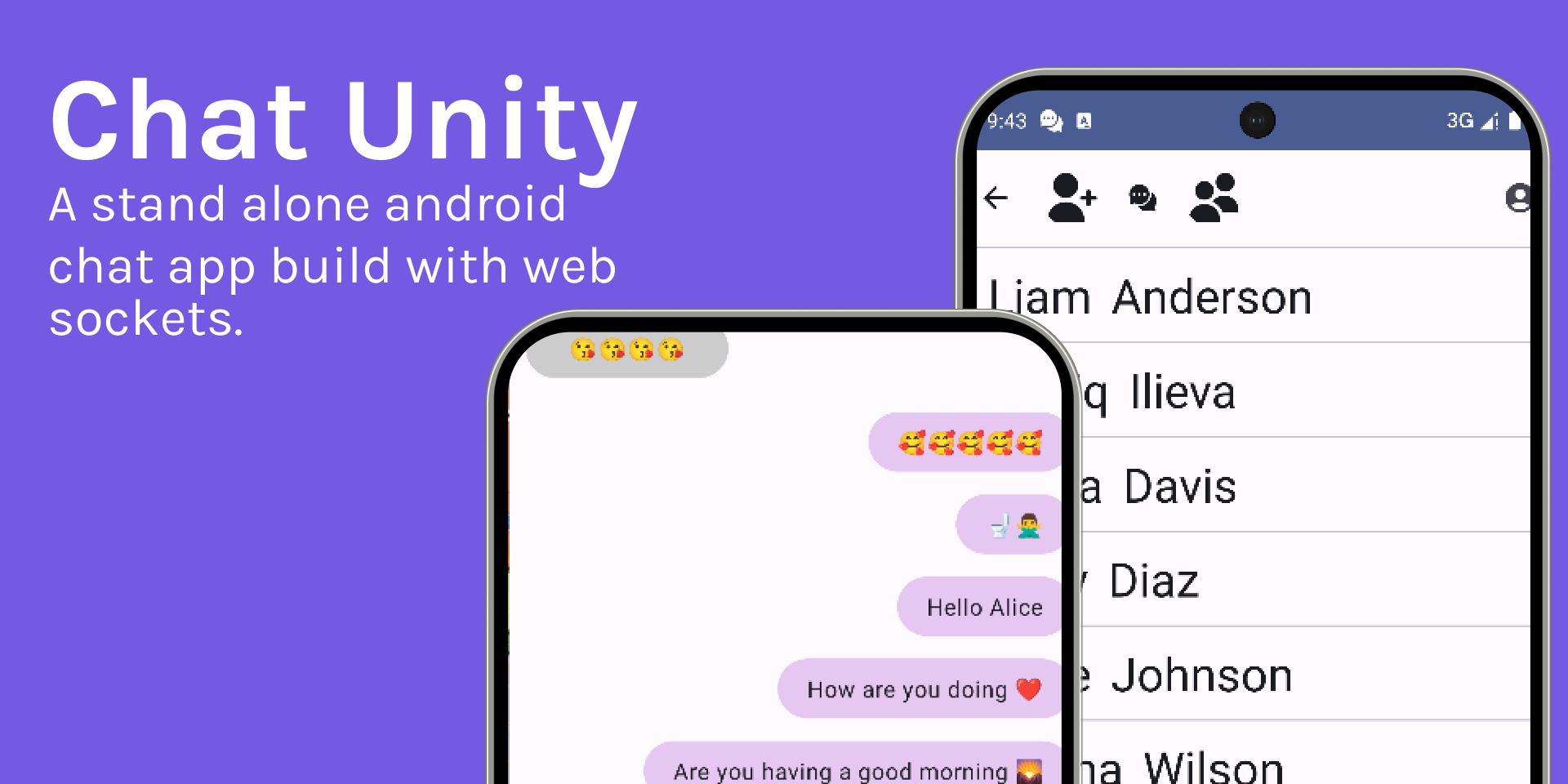
Chat Unity is a Java-based TCP application built using plain Java whit a adnroid Kontlin based user interface. The point of this project is to get a grasp on how to receive and parse messages via TCP. The application is built using Java models that were implemented in Java 9.
The user interface was built using Kotlin for Android. Again, no libraries were used, just plain TCP to send the messages.
Functionality
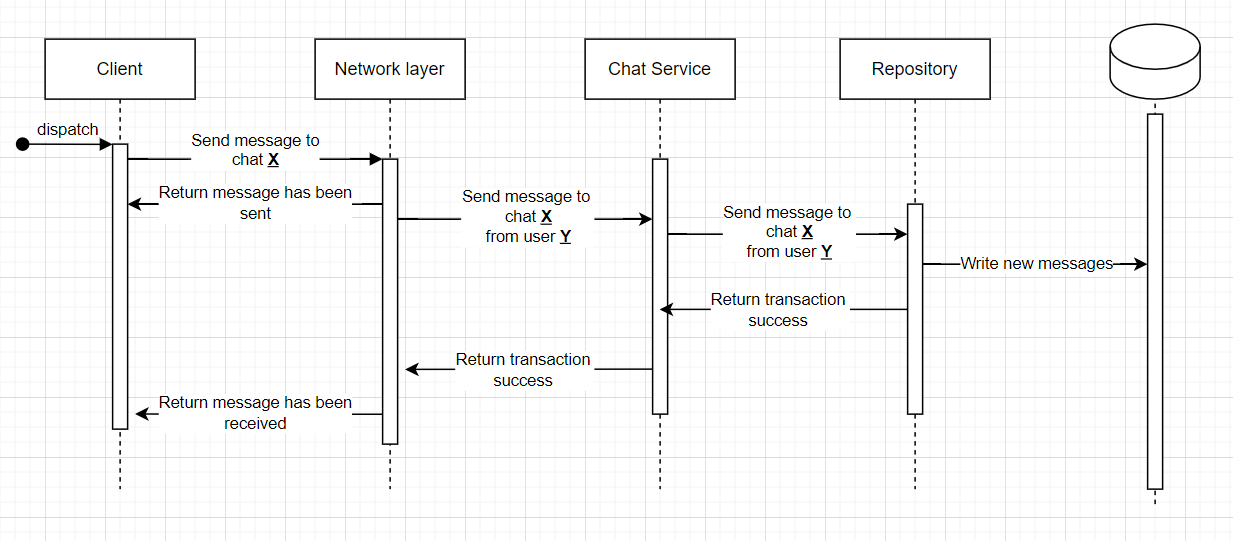
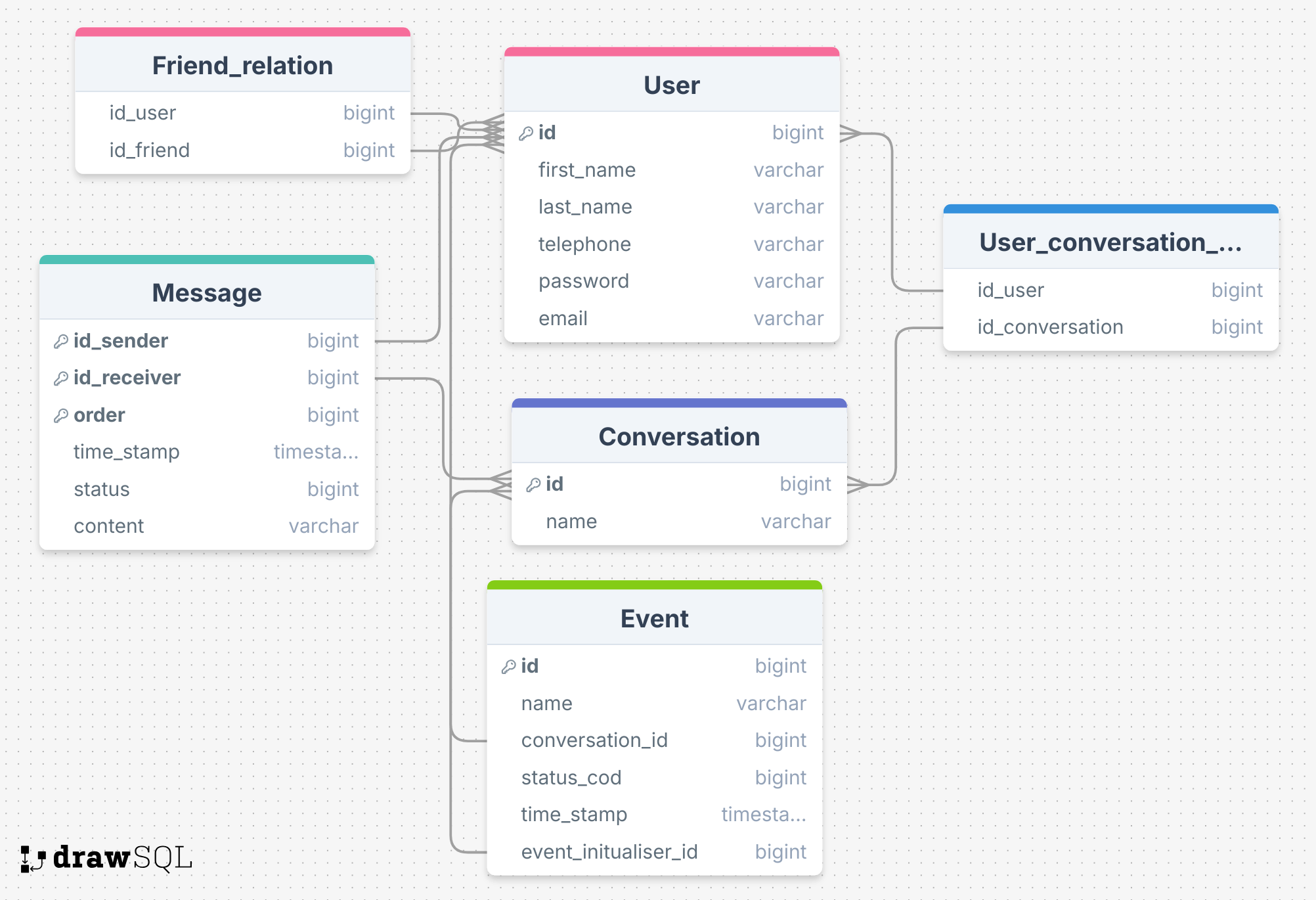
The project has a lot of functionality for a side project aimed at learning network messaging. Firstly, the system has a full login system, but without encryption of the password. This project was focused on networking, not so much on security. With a login system, we can have users. In this project, users can have friends and send messages to them. The messages are stored in a database that associates the messages with two users. The system supports groups of users. From the start, I wanted the system to support multiple languages and emojis. What is a chat without emojis? The system has been tested with Cyrillic and Latin letters; however, I didn’t have time to test it with more types of writing.
Repository
Packeges
The packages are simple strings of letters and numbers separated by special symbols. Every package starts with a keyword like log. After the keyword, there is a special symbol : that separates the keyword from the package content.
Auth
Log in
The login package syntax is simple. A keyword log is followed by an email and password, separated by a space. Spaces are not allowed in the password.
log: ivo@mail.com ivo12345678log: deme@mail.com deme12345678Register
The registration syntax starts with the keyword reg, followed by an email and password. Spaces are not allowed in the password. Then, there are two names: the first is the user’s first name, and the second is the user’s family name.
reg: newUser@mail.com newuserpass12345678 08879465 Lucas BennettMessages
The register package starts with the keyword gms or sms. gms stands for “get message,” and sms stands for “send message.”
Bulck order of messages
For each of the orders paird whit a conversation id of the conversation
gms: userId conversation$order ...gms: 1 1@3returns: All foudn messages. It will return emplty list if nothing was found.
Send message
sms: userId converstion order $contentsms: 1 1 10 $Alabala alo bereturns: only if problem whit the message.
Friends
Getting all friends for a given user works as follows: the keyword gfr, which stands for “get friends,” is used. The system will then return all friends for the given user.
gfr: userIdGroup
Getting all groups is as follows: the keyword gug, which stands for “get user groups,” is used. The system will return a list of all user groups.
gug: userIdreturns: set of all foud friends.