Software design document
This post and my deep dive into software design documents came about after I was inspired by Pirate Software and their Game Design Document (GDD). The essence of a GDD is to help you make more games by writing down the functionalities of a game you’re planning to create. It guides you to actually build a game instead of just fantasizing about what it might look like—you end up playing it! This got me thinking: what if we applied the same approach to software development? So, I decided to implement this mindset in my one-week challenge, where I created a software design document to outline the foundation on which my software would be built.
What is a Software Design Document?
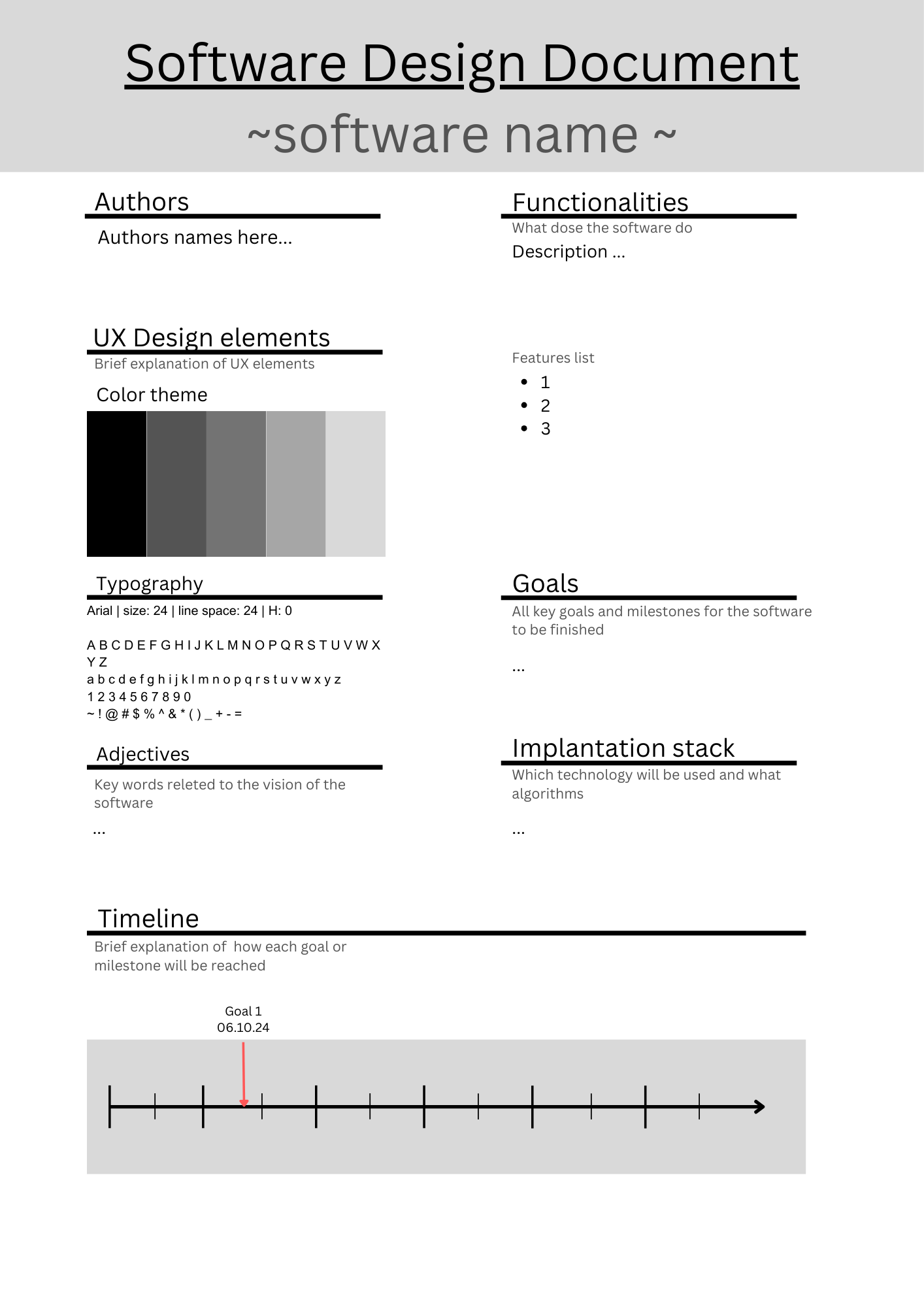
If you’re into software development—and you probably are if you’re reading this—you may have heard of software documentation, where developers write documentation alongside the code. A Software Design Document (SDD) is somewhat similar. It is a written explanation of what the software is, its guidelines, and where it will be used. Think of it like a big Jira ticket, describing the problem and the solution. That’s the gist of it. An SDD can also include information about the developers involved, and sometimes, even the style guide for UI/UX designers. Although the style guide is not always considered part of the SDD, I include it because the visual style remains a constant element throughout the software.I have create my own template you cancel check out here.
Why Write an SDD?
Why should developers bother writing an SDD? First, an SDD helps set milestones for completing the software. It allows you to see the start and end of the project, helping you and your team plan the implementation strategy. An SDD is especially useful when working with clients, as it can prevent budget overruns due to unspecified issues or functionalities. But what I want to focus on is how an SDD can help with your personal software side projects.
Dev, Development, and Learning Cool Stuff
If you’re a developer and aspire to be a “10x developer,” you need experience in everything. However, your education or job might not cover everything you want to know about development. That’s where side projects come into play. Every developer I know has worked on side projects to learn new technologies, development stacks, or whatever they’re interested in. Once the skill is acquired, though, most devs forget about those projects. Repeating this process for new skills helps you gain experience quickly. Unfortunately, many developers stop doing side projects after landing a comfortable corporate job. But if you want to keep learning, an SDD can shorten your learning curve significantly.
How to Build an SDD
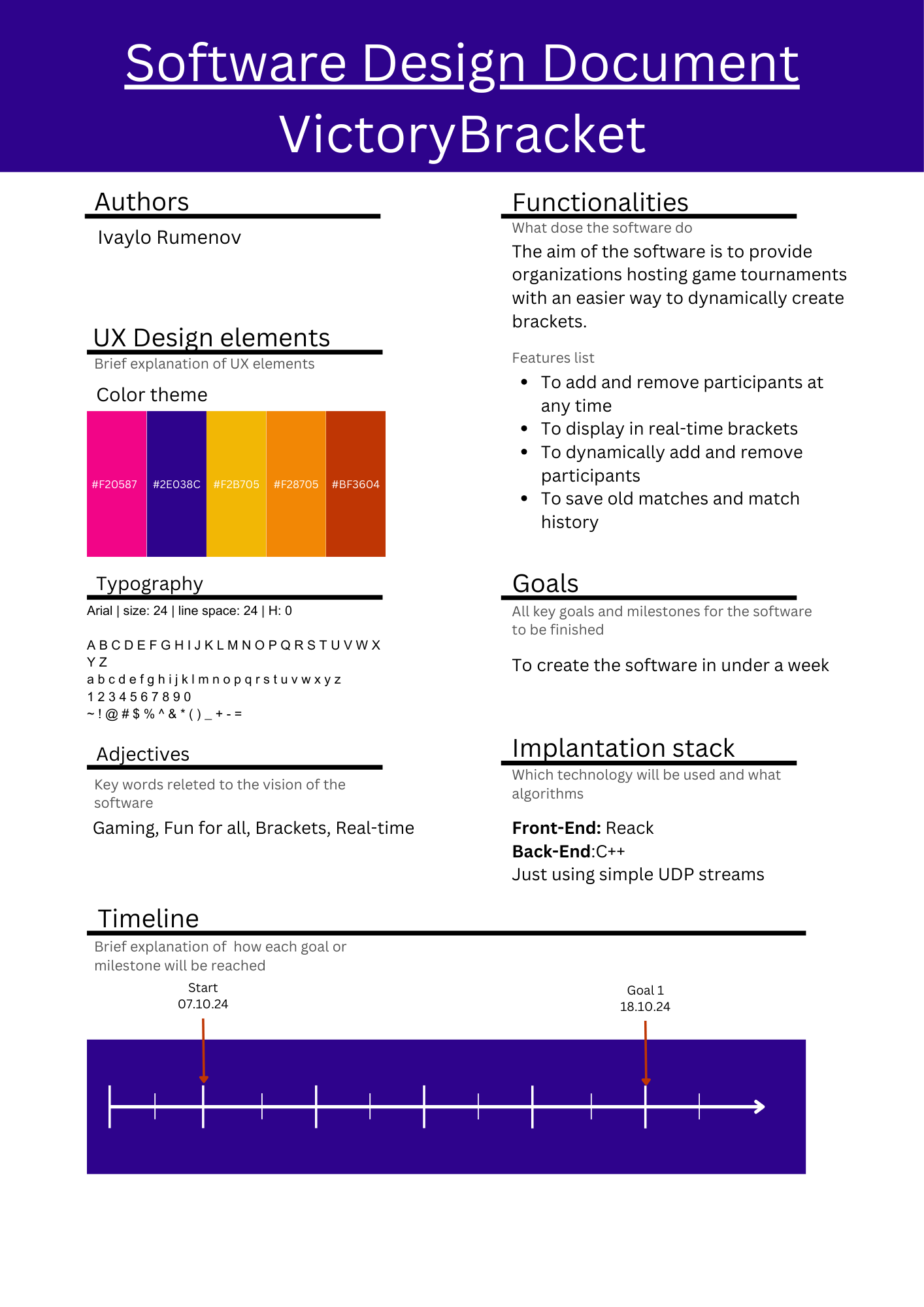
To show you how to build an SDD, I’ll walk you through my one-month project to learn Go syntax as a side project. When I start a project, I go over a quick checklist to estimate how long it will take. If it’s not fitting my schedule, I start cutting unnecessary functionalities early. Trust me, this saves a lot of time in planning, development, and implementation.
- Set a Goal/Problem: Describe your use case and think about the end goal.
- Solution: Consider existing solutions to similar problems. Look at the big picture—what will work best for you and your team?
- Set Functionalities: Identify specific functionalities that will be mandatory for the software.
- Set Implementation: Choose concrete resources or technologies that will help solve the problem.
- Check Feasibility: Review your list and ensure everything makes sense. If something doesn’t, adjust it.
- Iterate: After making changes, write them down—it may be useful in the future.
Here’s a simplified example of how I used these steps:
- Goal: I want to learn Go syntax.
- Solution: Create a simple TCP chat app.
- Functionalities: Users can write to a shared chat room.
- Implementation: Use the
netpackage. - Feasibility: Seems doable.
- Iteration: Adjust based on feedback and improvements.
This process seems simple, but it can become overwhelming. The key is to write down what you want and iterate on it until it works as expected. I highly recommend using the ABCDE method—it’s a fantastic tool. In this stage, you’re setting the main goals and high-level abstractions. In the next steps, you’ll flesh out the document and bring it to life.
UX Considerations
In my interpretation of a design document, I’ve included UX elements, such as color and typography. For me, the colors associated with software are key. For example, many food delivery apps use warm colors because they’re associated with movement and warm food—Takeaway (orange), Glovo (yellow), and Food Panda (pink). However, this post isn’t about color theory—I’ll revisit that topic in a future post on branding. Still, picking a color palette that suits your software’s concept is important. For color tools, I recommend Adobe Color.
Goals
Goals are the functionalities you create, step by step. They can range from simple tasks to critical parts of the software. When setting goals, list the fundamental ones at the top—these are crucial for the software. Below them, add the “nice to have” goals. Again, check out the ABCDE method, as it can be helpful when organizing tasks.
Timeline
A detailed timeline is crucial for fast and successful project completion. The timeline should be a chronological set of goals with defined start and end dates. This method keeps you productive. If you’re struggling with creating a timeline, here’s a helpful post: How to Create a Goal Timeline in 7 Steps - Success in Depth.
Once you set a timeline, try to stick to it. If a task isn’t finished on time, reflect on what went right or wrong and adjust accordingly.
Final Thoughts
I hope this post helped explain what a software design document is and how it can assist you. Thanks for reading!
Links: